Installation Overview
NQRust-Identity Portal Installer is an interactive terminal-based tool that deploys the complete NQRust-Identity stack on your server. The installer guides you through a two-phase setup with a friendly TUI (Terminal User Interface).
What gets installed
The installer deploys two main services:
- Identity — OIDC/OAuth2 provider for authentication and authorization
- Portal — Web application with license gate and admin capabilities
Both services run as Docker containers, configured with HTTPS and production-ready defaults.
Prerequisites
Before running the installer, ensure you have:
System requirements
- Linux server (Ubuntu 24.04 LTS recommended)
sudoaccess- At least 15-40 GB of free disk space
- A hostname or static IP reachable by your users
Software requirements
- Docker Engine installed and running
- Docker Compose v2 (the
docker composecommand, not the legacydocker-compose)
Refer to the official Docker documentation (opens in a new tab) to install Docker Engine and Docker Compose on your system.
Installer files
The installer runs in airgapped mode — all required Docker images are bundled into a single self-extracting binary. No internet access is needed during installation.
You need two files to proceed:
| File | Description |
|---|---|
nqrust-portal-airgapped | The installer binary (~534 MB) |
nqrust-portal-airgapped.sha256 | SHA256 checksum for verification |
These files are not publicly available. Contact the NQRust team to obtain the airgapped installer package for your deployment.
Verify the installer
Once you have both files, place them in the same directory on your server and verify the checksum:
sha256sum -c nqrust-portal-airgapped.sha256Expected output:
nqrust-portal-airgapped: OKIf the checksum does not match, do not proceed with installation. Contact the NQRust team to re-download the files.
Make the binary executable
chmod +x nqrust-portal-airgappedLaunch the installer
Run the installer from the directory where you want the configuration files (.env, docker-compose.yaml, etc.) to be created:
./nqrust-portal-airgappedOn first launch, the installer detects airgapped mode and automatically loads the bundled Docker images into your local Docker daemon. This may take a few minutes.
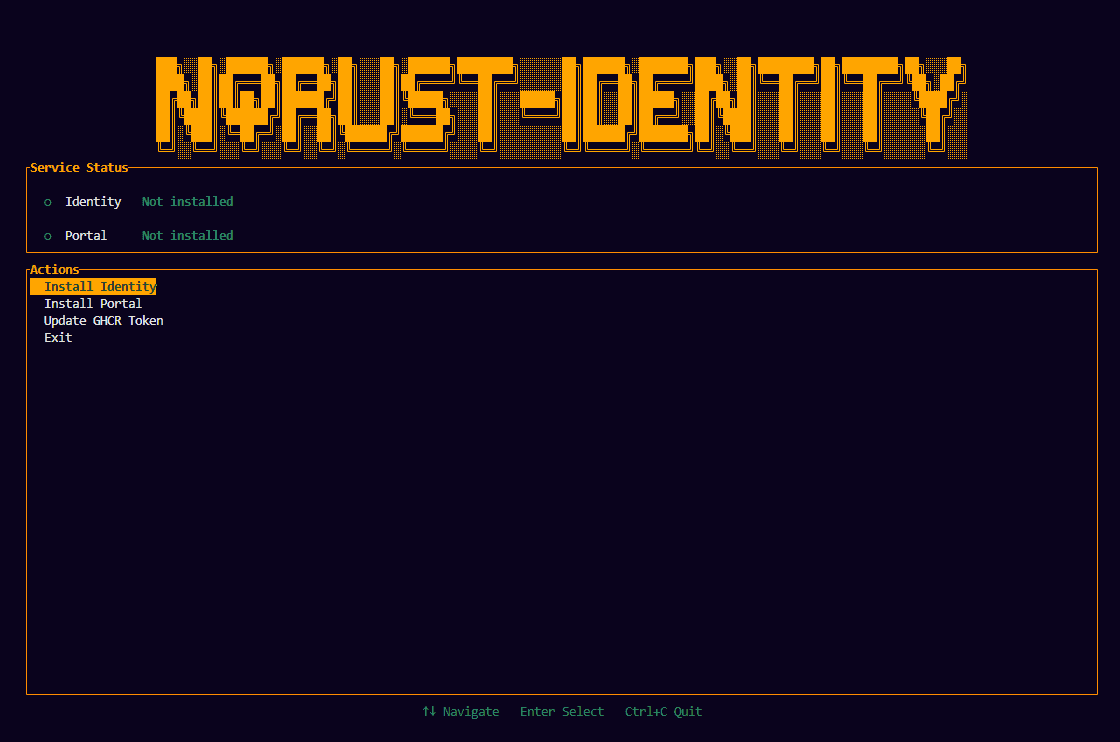
Installation flow
The installation is divided into two phases:
- Phase 1: Install Identity — Configure hostname, ports, and deploy the Identity + Portal containers.
- Phase 2: Configure Portal — Create an OAuth client in Identity, then link the Portal to it.
Follow each phase in order to complete the installation.